
AI Background Remover
Cut out people, products, and pets and set them on pure white in one click.
 AI Prompt Generator
Upload a photo and write the edit you want, like "remove the sign" or "make the jacket blue". The AI changes that part and leaves the rest of the picture alone.
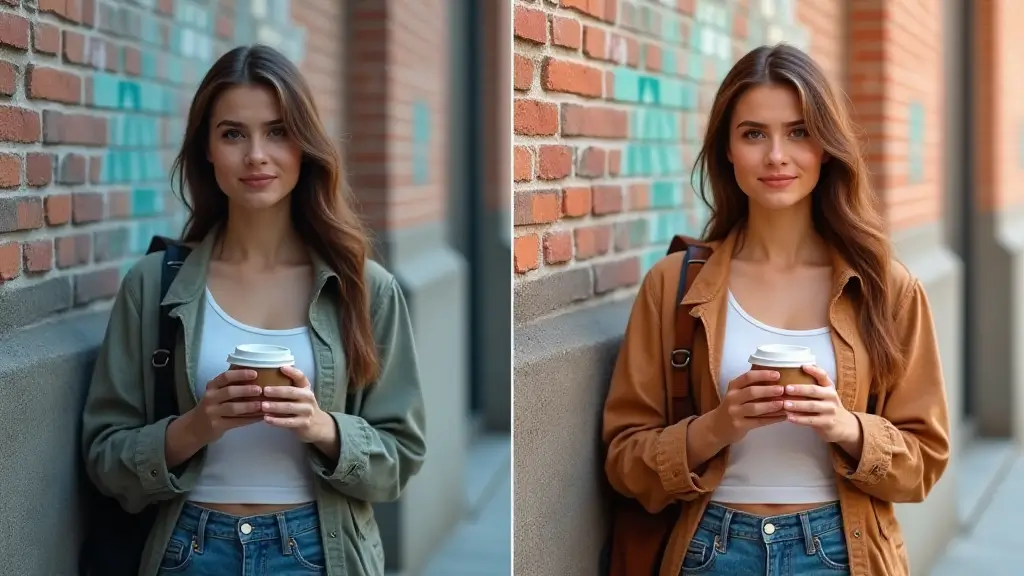
One photo, one sentence, one targeted change. Here is what people use the editor for most.
Take out passers-by, power lines, trash cans, or stray props by naming them, for example "erase the bin behind the bench".
Recolor a dress, add a hat, turn summer into autumn, or swap the label on a bottle without starting over.
Update props, fix small set mistakes, or adapt an approved image for a new promotion instead of reshooting.
Traditional editing needs selections, layers, and patience. Writing the change in a sentence gets you to the same place in a fraction of the time.
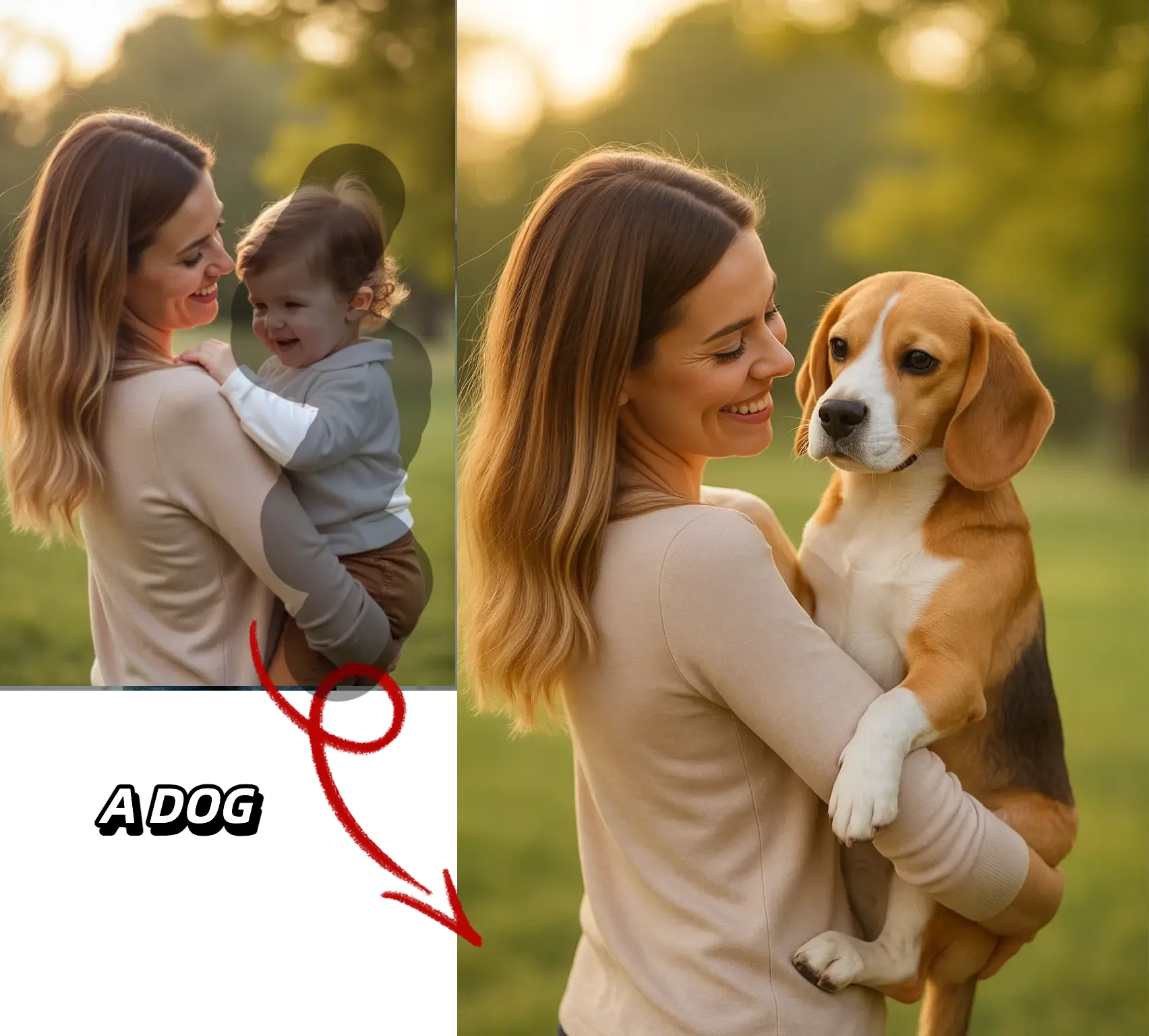
Upload, describe the change, and download
Upload the picture you want to change. Sharp, evenly lit photos give the most precise edits.
Describe one edit, for example "remove the glare on the glasses", then choose a model and resolution.
Compare the edit with the original, refine the instruction if needed, and save the result.
The tools you need for precise, prompt-driven retouching.
Write requests like "turn the sky to sunset" or "replace the cup with a glass of juice".
Handle objects, text, and scenery changes in a single pass.
Pick the model, aspect ratio, and resolution that suit the photo.
Adjust the wording and run it again until the edit looks right.
Sharpen the result with AI Image Enhancer or enlarge it with AI Image Upscaler.
Upload JPG, PNG, or WebP up to 20 MB and download the edited version.
What the editor can change, how to phrase requests, and how credits work
Upload a photo, describe what should change, and download the edited image in moments.


